USB Security & DLP — Ocean-Seal™
Central control of USB and portable devices on ship PCs, with logged and limited USB file exports and automatic evidence for class surveys (IACS UR E26).
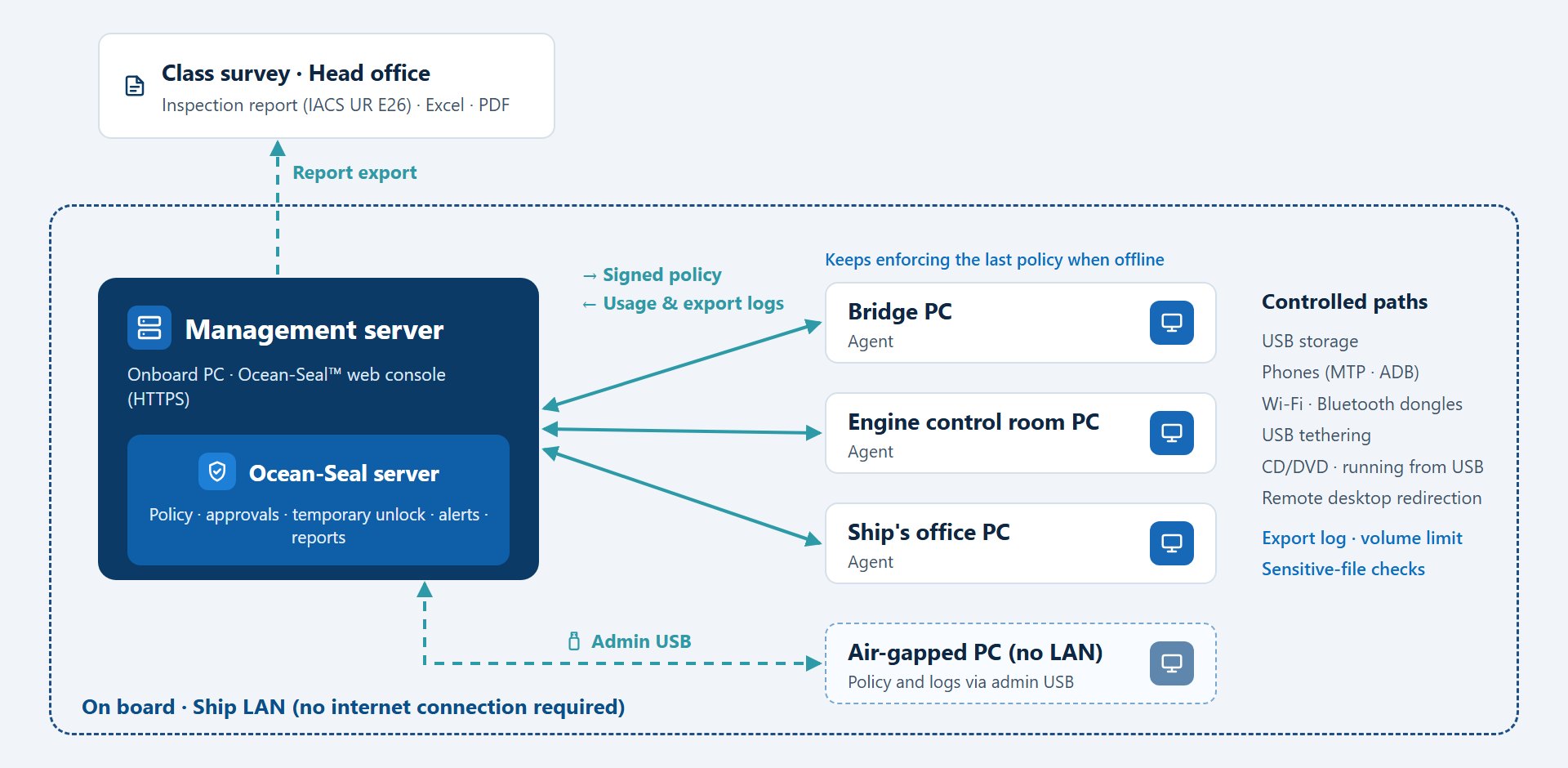
External device paths on ship PCs, managed from one console
USB drives carry chart and manual updates and reports every day, and they are also a primary path for malware on ships. Crew phones, Wi-Fi and Bluetooth dongles and phone tethering add more ways out of the ship network. IACS UR E26, which applies to ships contracted for construction on or after 1 July 2024, requires control over such mobile and portable devices — and evidence of that control.
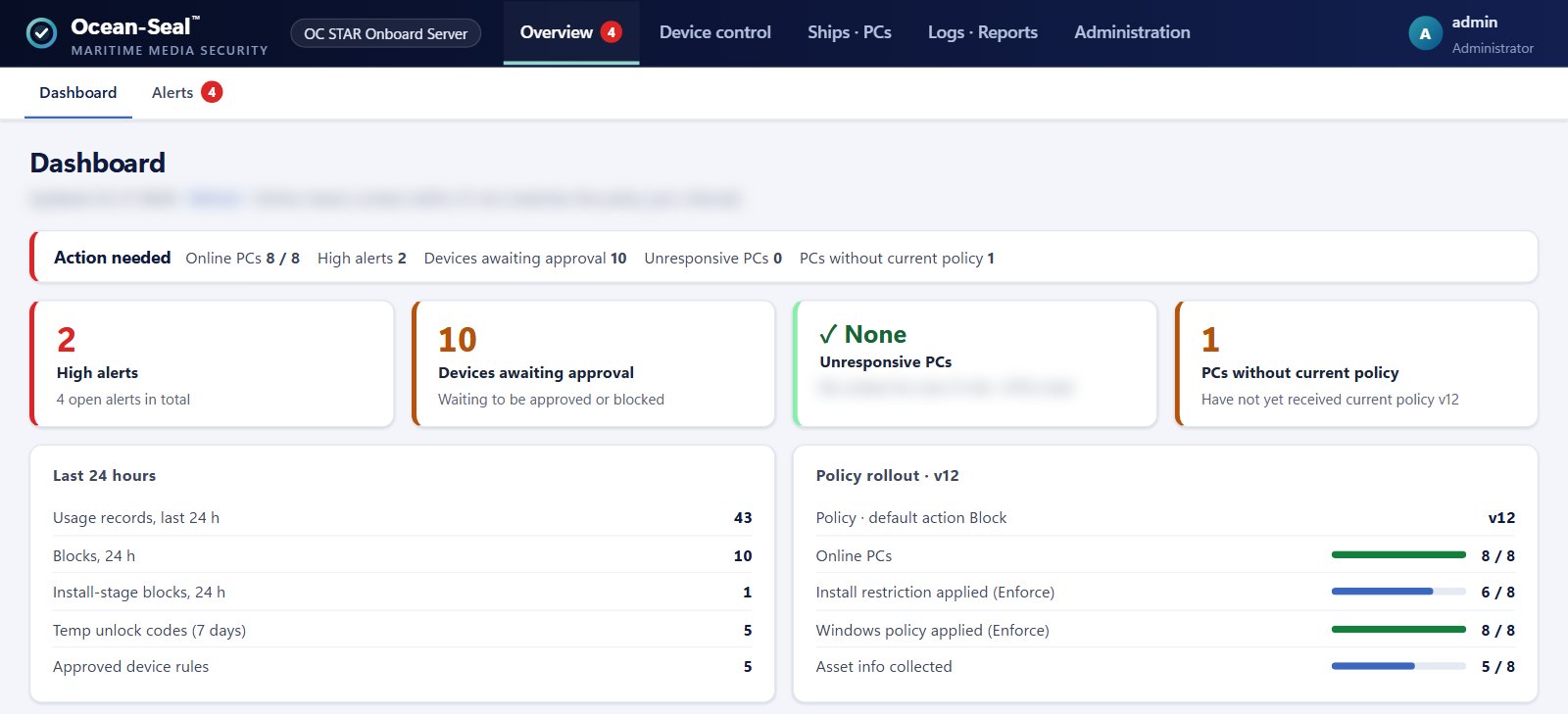
Ocean-Seal™ is a USB and portable-device control solution for ships developed in-house by Ocean Connect. You set the policy on a management server installed on an onboard PC; an agent on each PC allows, sets read-only or blocks devices and sends usage, blocking and export logs and asset information back to the server. Agents keep enforcing the last policy while disconnected, and the collected records turn straight into reports you can present at a class survey.
- Runs entirely on board
The management server sits on an onboard PC and works without internet or satellite traffic. Records never leave for an external cloud.
- Control stays on when offline
PCs keep enforcing the last policy when cut off from the server and send queued records when they reconnect. Control is not lifted when a licence ends.
- Air-gapped PCs included
PCs that are not on the ship LAN are enrolled, updated and have their logs collected with an admin USB drive.
- Inspection reports on demand
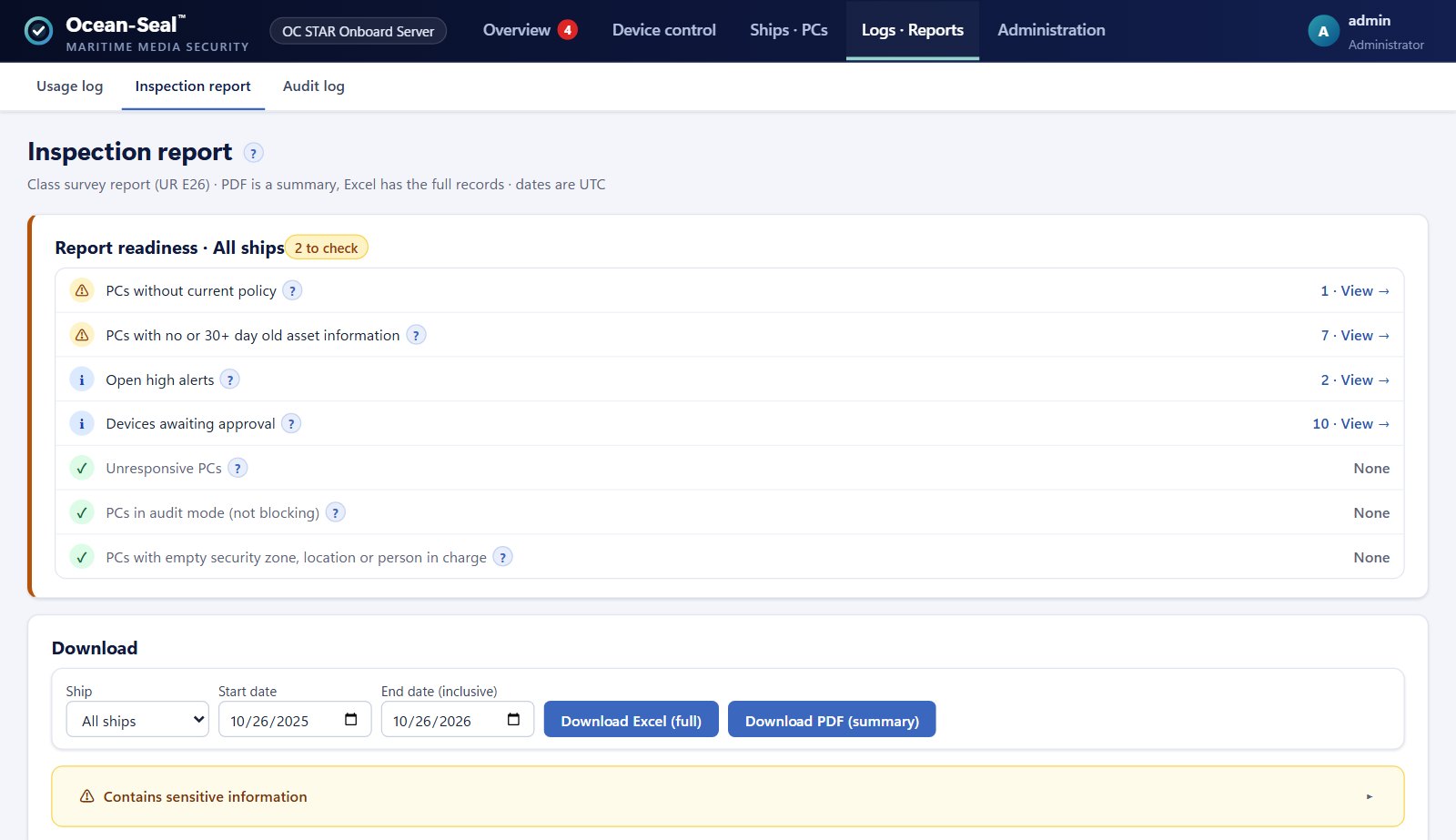
Asset inventory, approved devices, usage and blocking logs, temporary unlocks and alerts export to Excel and PDF for IACS UR E26 surveys, with a readiness check before you export.
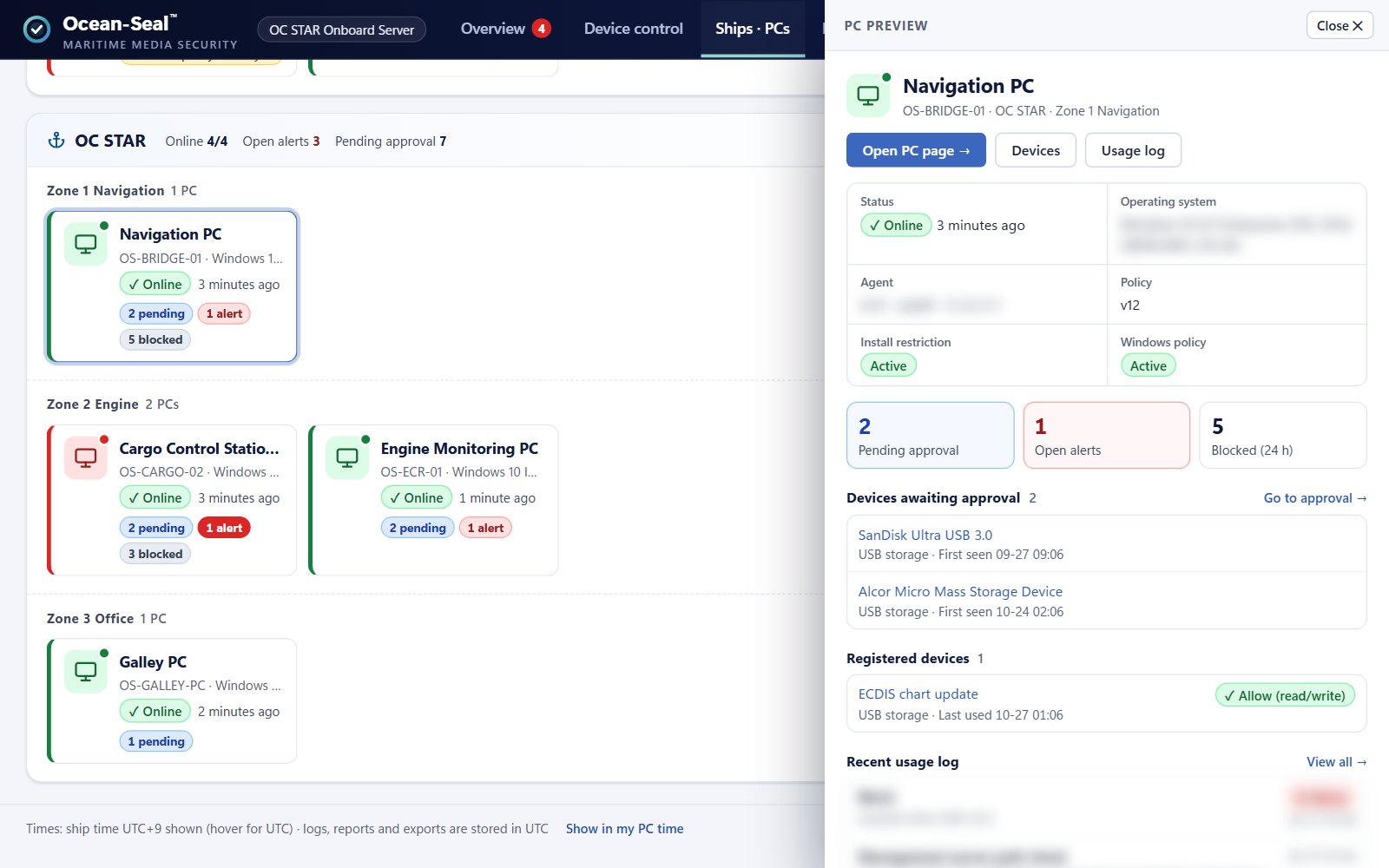
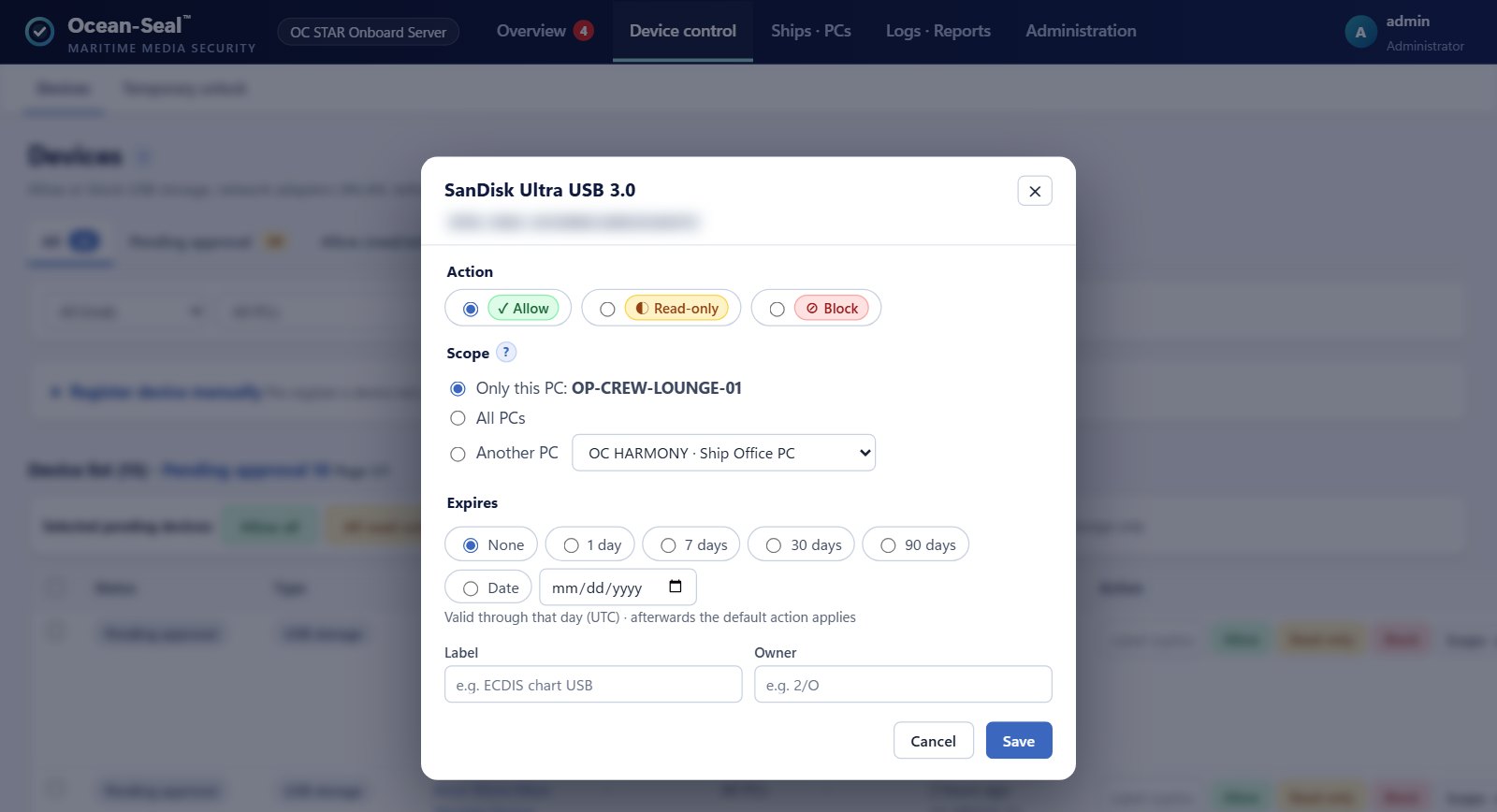
Set the action for each device by its unique ID (VID, PID, serial). Unknown USB drives are stopped at the Windows device-installation stage and queued for approval, where you choose this PC only or all PCs and an expiry date.
Blocks installation of new Wi-Fi and Bluetooth dongles, phone tethering and LTE modems. Phones keep charging while file transfer is set to read-only or blocked, and the adapter used to reach the management server is never cut off.
Stops programs running directly from USB or CD and turns off autorun, and controls CD/DVD burning and remote desktop drive, clipboard and printer redirection per ship or PC.
Logs the name, size and SHA-256 of every file copied to an allowed USB drive and switches the drive to read-only or blocked when a per-device export limit is exceeded. Documents containing national ID, card or passport numbers are flagged or quarantined, and files imported from USB and print jobs are logged too.
For a PC that cannot reach the server, turn the request code the crew reads out into a response code that allows the device for a set time (15 minutes to 30 days). Each response code fits only that PC and that request, works once, and is logged with issuer and reason.
Collects hardware, OS, patches, software, network and connected devices automatically and keeps a change history. Checks antivirus, firewall and patch status, and raises alerts and webhooks (Teams, Slack and more) when an agent is stopped, files are altered or a PC goes silent.
Supported Environment
- Ship PCs
- Windows 10 (2004 or later, incl. LTSC 2021) · Windows 11, 32/64-bit
- Management server
- One onboard Windows PC, HTTPS (private certificate created automatically)
- Network
- Ship LAN (no internet or satellite link needed); admin USB for air-gapped PCs
- Languages
- Console and reports in Korean and English; crew block notices in 10 languages
- Reports
- Inspection report in Excel (full) and PDF (summary); asset inventory in Excel and PDF
- E26 clauses addressed
- 4.1.1 · 4.2.1 · 4.2.3 · 4.2.4 · 4.2.5 · 4.2.6 · 4.2.7
- Licence
- 5 · 10 · 20 · 30 PCs × 1 · 2 · 3 years (30-day trial for 5 PCs)
Where It's Used
Have the PC asset inventory, portable-device policy and inspection report ready before delivery.
Only approved USB drives work; unknown devices are stopped at installation.
Phones still charge, while file transfer and tethering are blocked.
Export logs and sensitive-file checks show whether personal or business data leaves on USB.
Screens