Email Sharing — OCEAN-PublicMail™
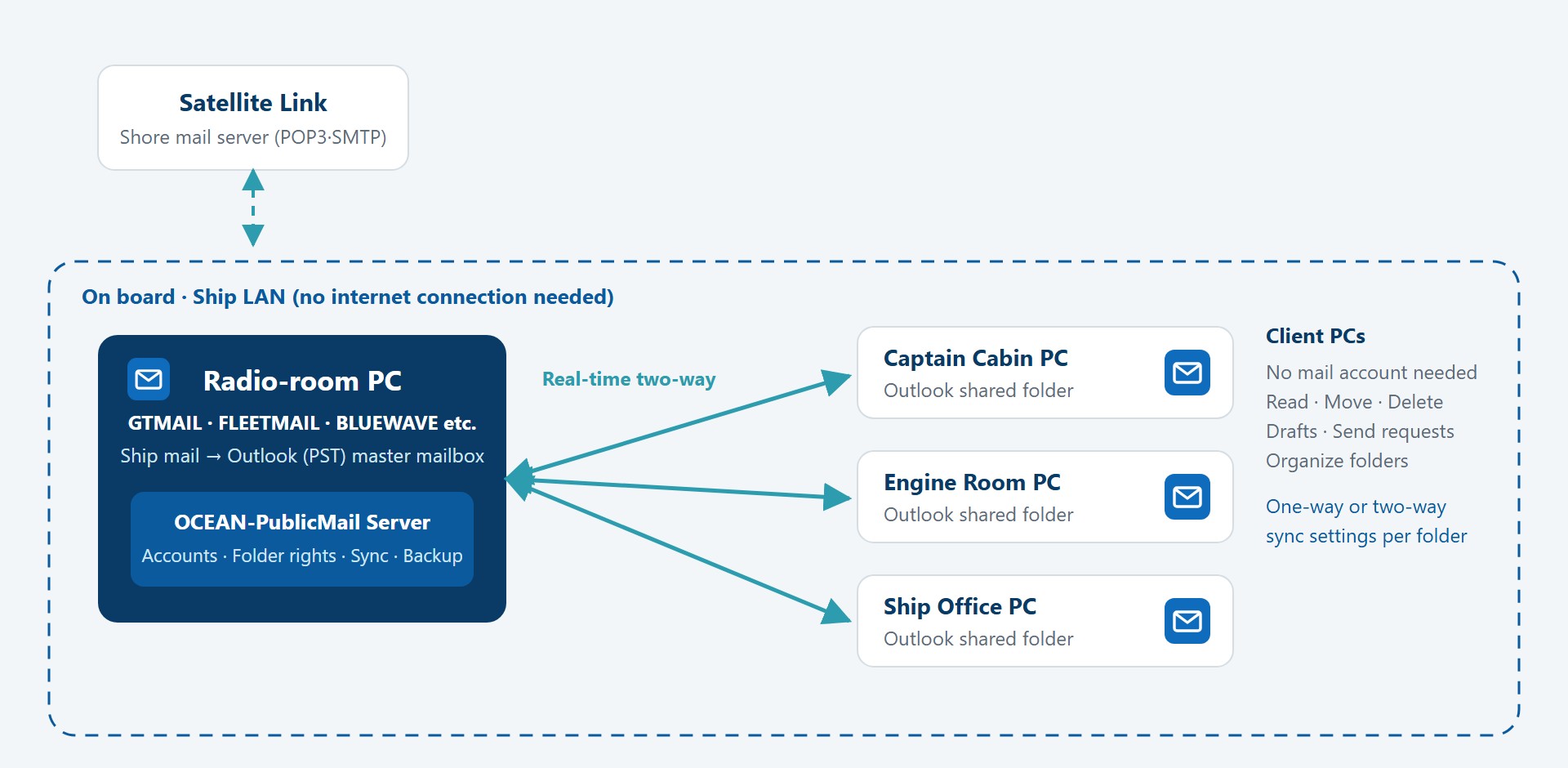
Share the radio-room mailbox in real time in Outlook on the master's, engine and office PCs over the ship's internal network — just like Exchange mail.
One mailbox shared by every PC on board
Ship email usually arrives by satellite in the Outlook of a single radio-room PC. To read it on other PCs — on the bridge, in the engine room or the ship's office — crews have set up a separate account on the radio room's POP3 mail server for each PC, or moved mail to shared storage and opened it there. These approaches need separate setup and upkeep on every PC, mail downloaded on one PC may not appear on another, and mail files shared over the network risk corruption.
OCEAN-PublicMail™ is an onboard mail-sharing solution developed in-house by Ocean Connect. It connects the radio-room mailbox to Outlook on other onboard PCs as a shared folder, so every PC sees the same mailbox in real time without setting up a mail account on each one — the same experience as Exchange mail in a shore office, at sea.
- Keep your ship email solution
Compatible with PST-based ship email solutions such as GTMAIL, FLEETMAIL and BLUEWAVE, so your existing mail setup stays as it is.
- No separate mail server
Runs on the ship's LAN alone, without a mail server such as Exchange.
- No extra satellite traffic
Sharing happens entirely on board, so no additional satellite data is used.
- Mail stays on board
Shared mail never passes through the external internet or the cloud.
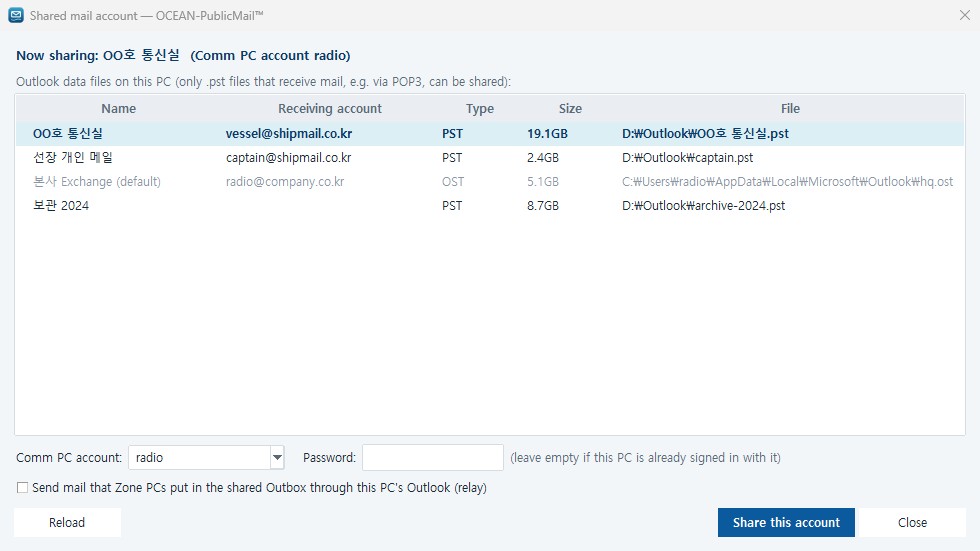
No separate mail account on each onboard PC. The shared mailbox appears in the Outlook folder pane for reading, searching and filing as usual, and mail placed in the shared Outbox is sent by the radio-room Outlook.
Read status, flags, moves, deletions, drafts and folder changes appear in Outlook on every PC right away. Mail travels only on the onboard LAN, so satellite traffic does not increase.
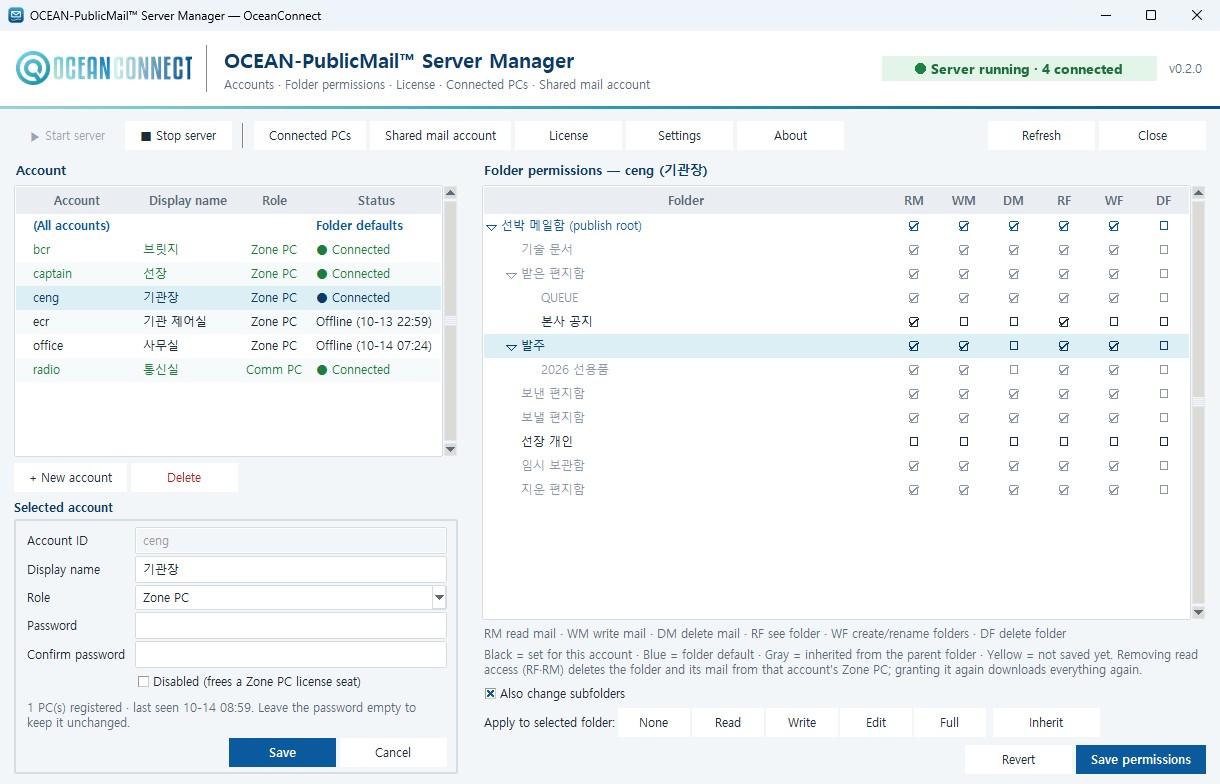
Set no sync, one-way or two-way sync and delete protection per user and folder. Folders a user may not see are never copied to that PC, and each PC signs in with its own account password.
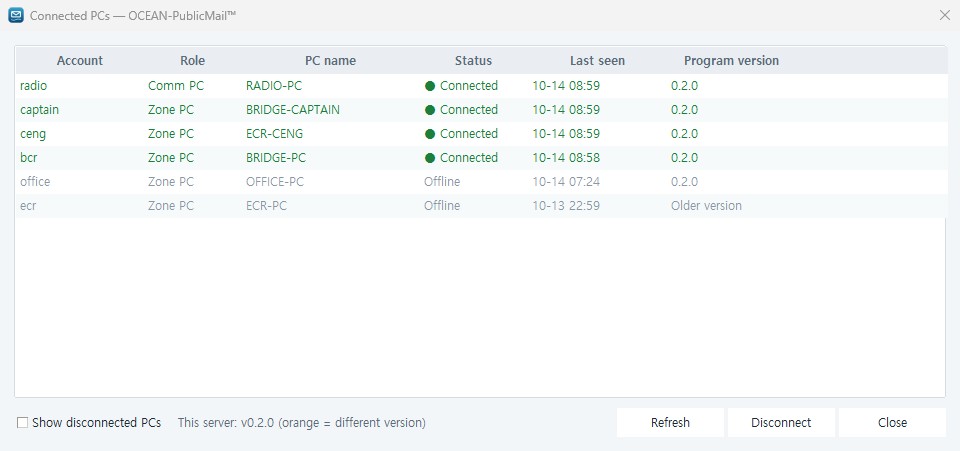
New mail is visible right away even while a large mailbox is still being received. If the server connection drops, shared folders are protected as read-only and re-synced automatically on reconnect. The server holds the master mailbox, so no mail is lost when a PC is switched off, and an update applied once on the server reaches every PC automatically.
Supported Environment
- OS
- Windows 8 · 10 · 11 (32/64-bit)
- Outlook
- Classic Outlook 2010–2024, Microsoft 365 (32/64-bit)
- Ship email compatibility
- Compatible with PST-based ship email solutions such as GTMAIL, FLEETMAIL and BLUEWAVE
- Licence
- Flexible licensing from 5 to 100 PCs (up to 100 PCs connected)
- Network
- Ship LAN (no internet connection required)
Screens